How to use the Alerts dashboard on the Performance and Reporting page.
| IN THIS TOPIC |
Purpose
To describe how to use the Alerts dashboard within the Performance and Reporting page in an effort to ensure quality and optimize your operation.
Process
Overview
The Alerts section of the Performance and Reporting page provides actionable data regarding aging inventory, including LPNs and loose goods in inbound and outbound staging and data around how long those goods have been in those locations. The filters at the top apply to both sections on the Alerts dashboard
- Reservation Name: if you have access to multiple reservations, you’re able to filter them here
- Warehouse: if you have access to multiple warehouses within your organization, you’re able to filter them here
The same options are available for downloading CSVs of the data in previous sections.
Aging LPNs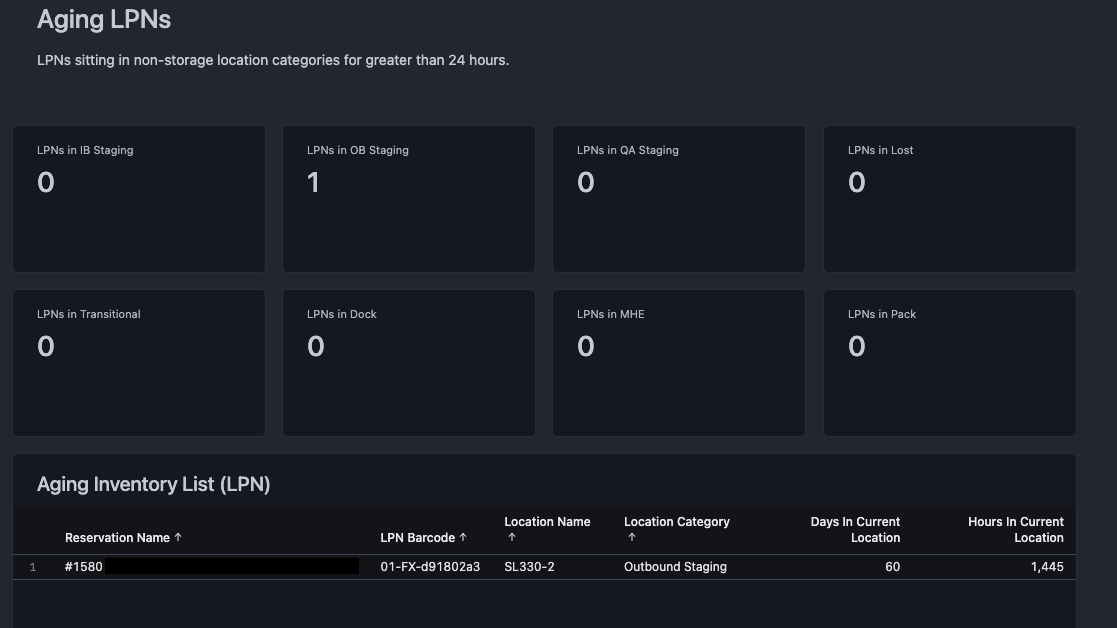
This section provides information relating to LPNs in locations outside of allocatable storage locations, including inbound and outbound staging, and QA locations. Selecting the numbers in each box allows you to select Drill. This reveals a new window showing more detail about the LPNs in each location, including the location name, how long it’s been there, and the user who last moved the LPN. This can be used to troubleshoot how the LPNs have remained in these locations without action, and to resolve any lingering issues.
This data can be downloaded by selecting Download from the top of the window.
Aging Loose Goods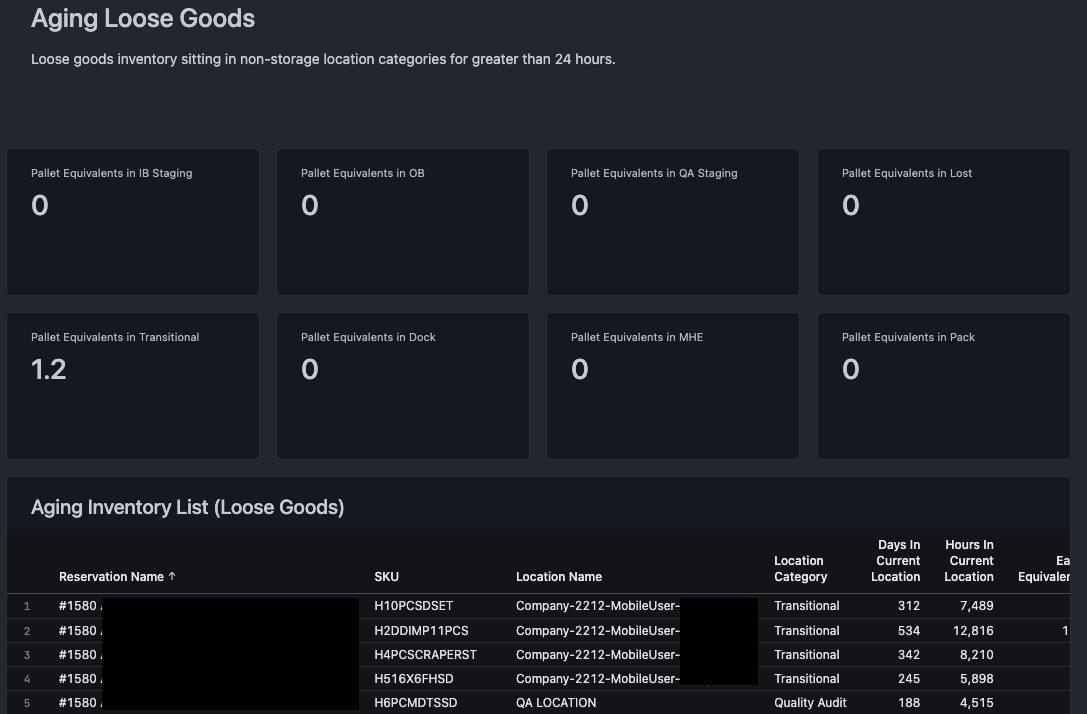
This section provides information relating to loose goods in locations outside of allocatable storage locations, including inbound and outbound staging, and QA locations. For convenience, units are presented as pallet equivalents based on the conversion in the item master. Selecting the numbers in each box allows you to select Drill. This reveals a new window showing more detail about the units in each location, including the location name(s), the pallet and each equivalents of SKUs in those locations, and how long units have been there. This can be used to troubleshoot how units have remained in these locations without action, and to resolve any lingering issues.
Comments
0 comments
Please sign in to leave a comment.